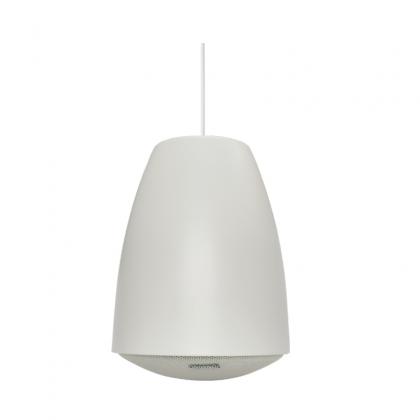
Tonmind PA System Pro Solution
Sep 29, 2026Tonmind PA System Pro Solution
All-in-One IP Audio Management Software for Modern PA Systems
Tonmind PA System Pro is an IP audio management platform with a built-in SIP Server. Based on a Server & Client architecture, it enables centralized management and multi-user operation across IP public address and intercom networks.
The software can create up to 1,000 sessions/zones and flexibly assign SIP devices such as IP Speakers, IP Intercoms, IP Paging Microphones, IP Paging Adapters and IP Phones. It also supports ONVIF video integration, multiple audio sources, recording, mobile control and SIP Trunk integration, providing a unified solution for schools, commercial buildings, transportation, hotels, healthcare and security applications.
|
Key Capability |
Description |
|
Architecture |
Server & Client architecture with centralized management and multiple client access |
|
Zone Capacity |
Up to 1,000 sessions/zones |
|
Device Capacity |
Up to 1,000 total registered devices, including SIP and video devices |
|
Built-in SIP Server |
SIP endpoints can register directly to PA System Pro |
|
Video |
Up to 1,000 video devices can be added; up to 16 video channels can be viewed simultaneously |
|
Audio Sources |
PC speaker audio, PC microphone, TTS, Live Radio, RTP Multicast and local playlists |
|
Recording |
Scheduled recording, keyword-triggered recording and sound-effect-triggered recording |
|
Mobile Control |
PA Connect via local Wi-Fi/LAN or P2P connection over 4G/5G |
|
Scalability |
The total number of registered SIP devices and video devices combined must remain within 1,000. PA System Pro can also create up to 1,000 sessions/zones. |
PA System Pro uses sessions as flexible broadcast zones. Administrators can create and name sessions, assign SIP devices to each session, and configure the audio source, schedule and SIP Trunk associated with that session. Up to 1,000 sessions/zones can be created.
● Create and name sessions/zones based on building, floor, department or application needs.
● Freely add or remove registered SIP devices from each session.
● Assign different audio sources to different sessions.
● Configure broadcast schedules and SIP Trunk settings per session.
● Control multiple zones from one centralized interface.
PA System Pro supports multiple audio input methods, allowing users to choose the most suitable source for live paging, music, announcements and scheduled broadcasting.
● PC Speaker: captures audio played by the computer, allowing audio from music or media applications to be broadcast through the PA system.
● PC Microphone: uses the computer microphone as a live audio input source.
● TTS (Text-to-Speech): converts entered text into synthesized voice for broadcast.
● Live Radio: plays an online radio stream by entering the corresponding Live Radio URL.
● RTP Multicast: supports multicast audio distribution across compatible network endpoints.
● Playlist: uploads local audio files to playlists for manual or scheduled playback.
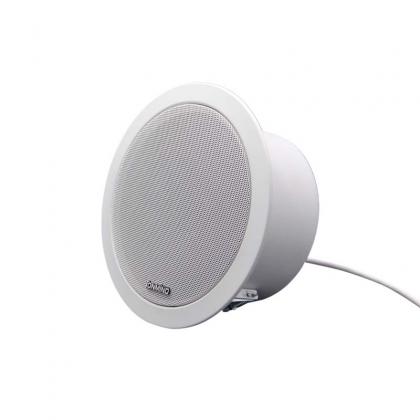
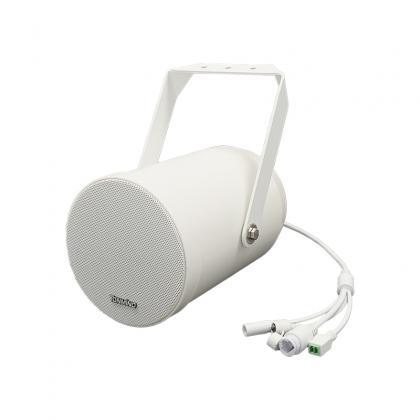
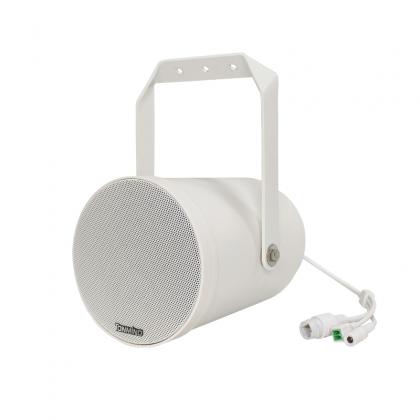
PA System Pro includes a built-in SIP Server. SIP endpoints can register directly to the software for centralized configuration and zone assignment. Supported device types include Tonmind IP Speakers, IP Intercoms, IP Paging Microphones, IP Paging Adapters and IP Phones. Standard third-party SIP devices can also be registered and managed.
● Register and centrally manage SIP endpoints.
● Assign devices to one or more sessions according to application requirements.
● Support up to 1,000 total registered devices when SIP and video devices are counted together.
● Enable SIP calls and paging among compatible SIP devices.
PA System Pro supports adding video devices for integrated audio and video monitoring. Video devices can be listed in the software, viewed independently, or associated with sessions for easier monitoring during paging and intercom operations.
● Add up to 1,000 video devices within the overall 1,000-device system limit.
● Display up to 16 video channels simultaneously.
● Add video devices to sessions for zone-based monitoring.
● Combine audio paging and live video viewing in a single management interface.
PA System Pro supports audio recording, storage, and playback from devices with built-in microphones. It also supports keyword- and sound-triggered actions, including recording and turning Sessions on or off.
Record audio during specified time periods and save recordings in configurable segments, such as every 1 minute or 10 minutes, for easier playback and review.
Define custom keywords such as Help, Star or Stop. When a configured keyword is detected, the system can automatically start recording, turn a Session on, or turn a Session off. The action duration can also be configured.
Supports recognition of 17 sound types, such as Glass Breaking, Alarm, Beep, Explosion, and Dog Barking. When the selected sound is detected, PA System Pro can trigger predefined actions such as recording or switching a Session on or off for a specified duration.
PA System Pro is based on a Server & Client architecture, allowing one PA System Pro Server to connect with multiple Client terminals. Users can install the PA System Pro Client on other computers, enter the Server IP address, and log in with the credentials assigned by the Server administrator for centralized system operation and management.
The system supports three user roles: Administrator, Operator, and Observer. Different access permissions can be assigned to Operators and Observers, including which zones they are allowed to view and manage. This enables flexible user management and helps control system access according to different responsibilities.
PA System Pro provides call-log and event-log recording and inquiry, making it easier to monitor system activities and review operation records. It also provides a standard HTTP API for integration with third-party systems and customized applications.
With the PA Connect mobile app, users can remotely control zones, turn broadcasts on or off, and make live announcements to individual SIP devices registered to PA System Pro.
PA Connect supports:
● Local connection: connect the phone and PA System Pro to the same Wi-Fi/LAN network.
● P2P connection: connect remotely over 4G/5G by entering an authorized P2P Code.
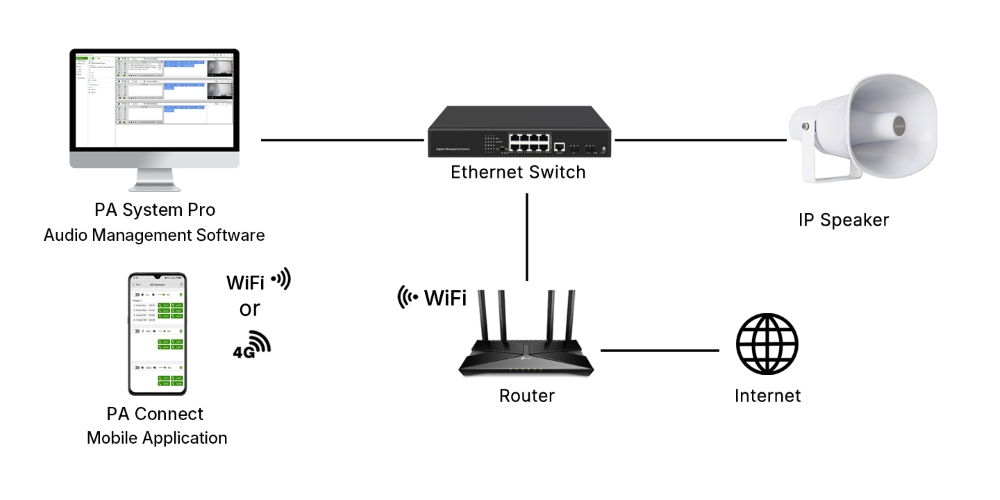
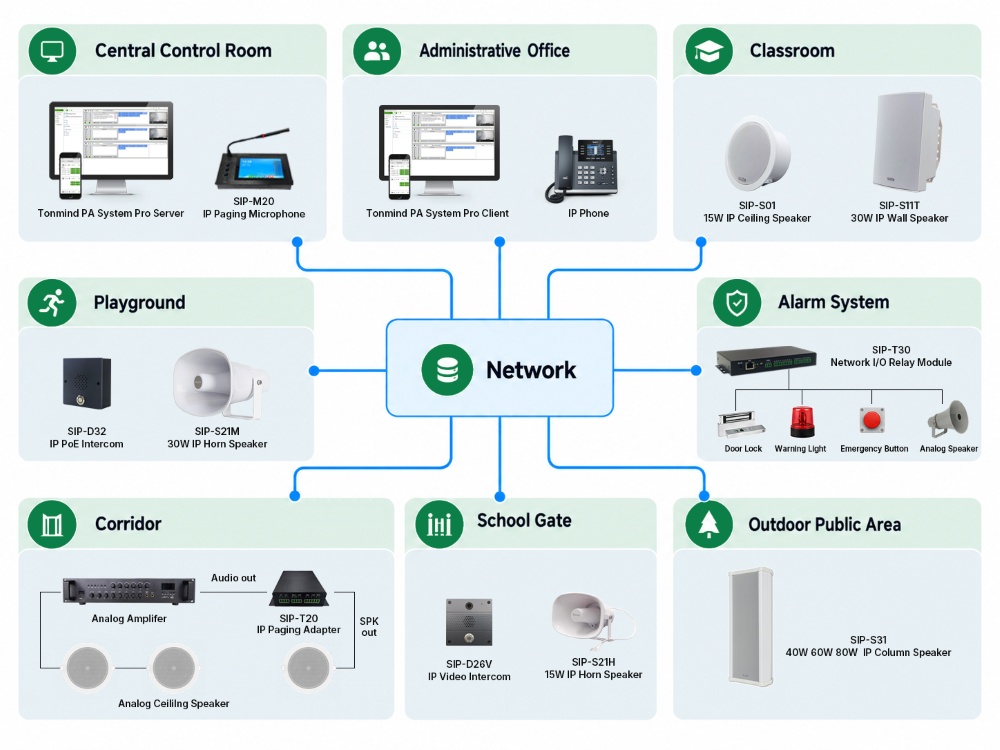
PA System Pro serves as the central management platform for the IP PA system. The PA System Pro Server is installed on the computer in the central control room to provide centralized management of IP audio devices and system functions.
Additional offices or control points can install PA System Pro Client for authorized monitoring and management. Tonmind IP Audio Devices and compatible third-party SIP devices can be deployed across different zones and connected through the same IP network for centralized paging, broadcasting, intercom, and device management.
The following System Diagram shows a typical school IP PA system architecture.
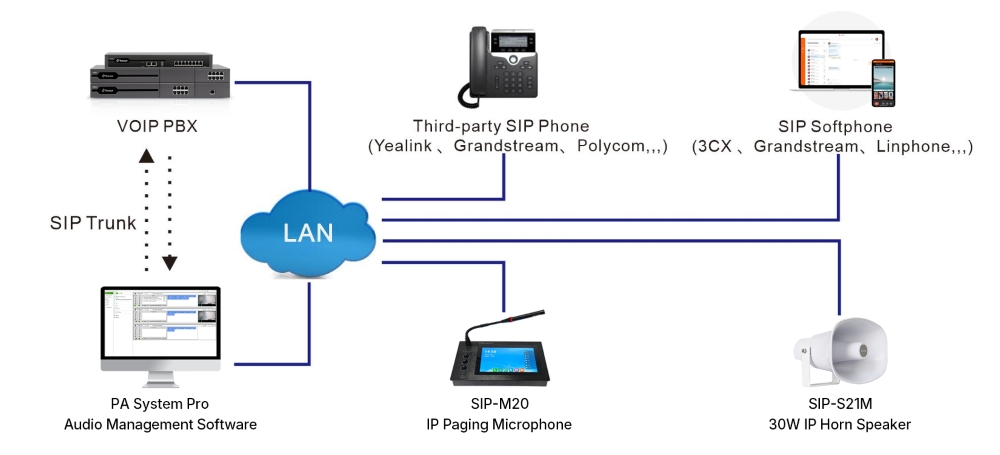
Because PA System Pro contains a SIP Server, compatible SIP endpoints can register directly to the platform. This includes Tonmind IP audio devices as well as third-party devices that support the standard SIP protocol.
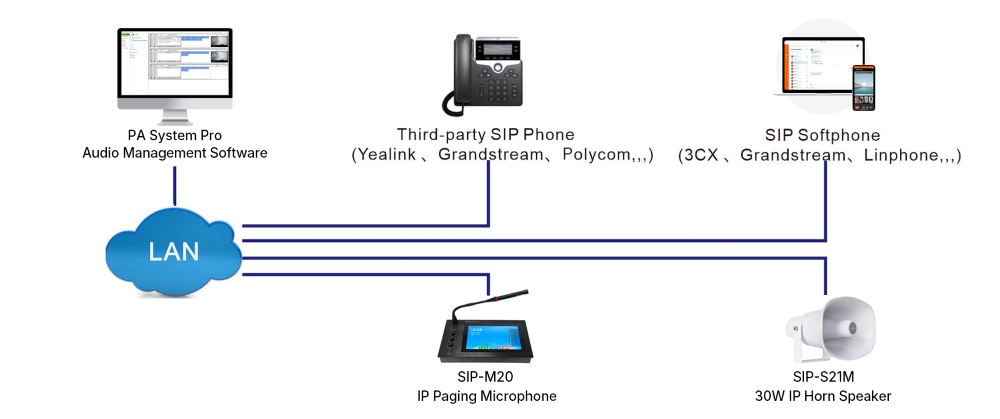
PA System Pro can integrate with third-party VoIP systems through SIP Trunk. SIP phones under a VoIP/PBX system can communicate with Tonmind IP Intercoms, IP Speakers, IP Paging Microphones and other compatible SIP audio endpoints.
|
Processor |
Intel Core i7 |
|
Memory |
8 GB RAM |
|
Storage |
512 GB |
|
Operating System |
Windows 10 or later |
● PA System Pro can be downloaded from the Tonmind website, or users can contact Tonmind sales for the latest software package.
● A one-month free trial is available.
● Tonmind also maintains a remote test server. Users who want to continue evaluating PA System Pro functions remotely can contact Tonmind for PA Pro Client access information.
A license is required for continued local use after the trial period. After purchasing a license, the user copies the Machine Code shown on the PA System Pro “About” page and sends it to the Tonmind team. Tonmind then generates the corresponding license file. Once the license file is uploaded and activated, PA System Pro can be used permanently on that activated computer.